Panda X Panel Tips for Low-End Android Phones

A modest phone does not rule out a good panel experience. Older and budget Android devices simply reward a lighter approach: fewer simultaneous demands, sensible settings, and a tidy system underneath. Users who accept those limits honestly usually end up with a smoother result than users who push a small phone as if it were a flagship model.
This guide collects practical habits that make a real difference on low-end hardware. None of them involve buying anything or installing extra tools. They are about reducing background load, choosing settings the device can sustain, and keeping the phone itself in good shape so the app has room to do its job properly.
Start by Freeing Up the Phone Itself
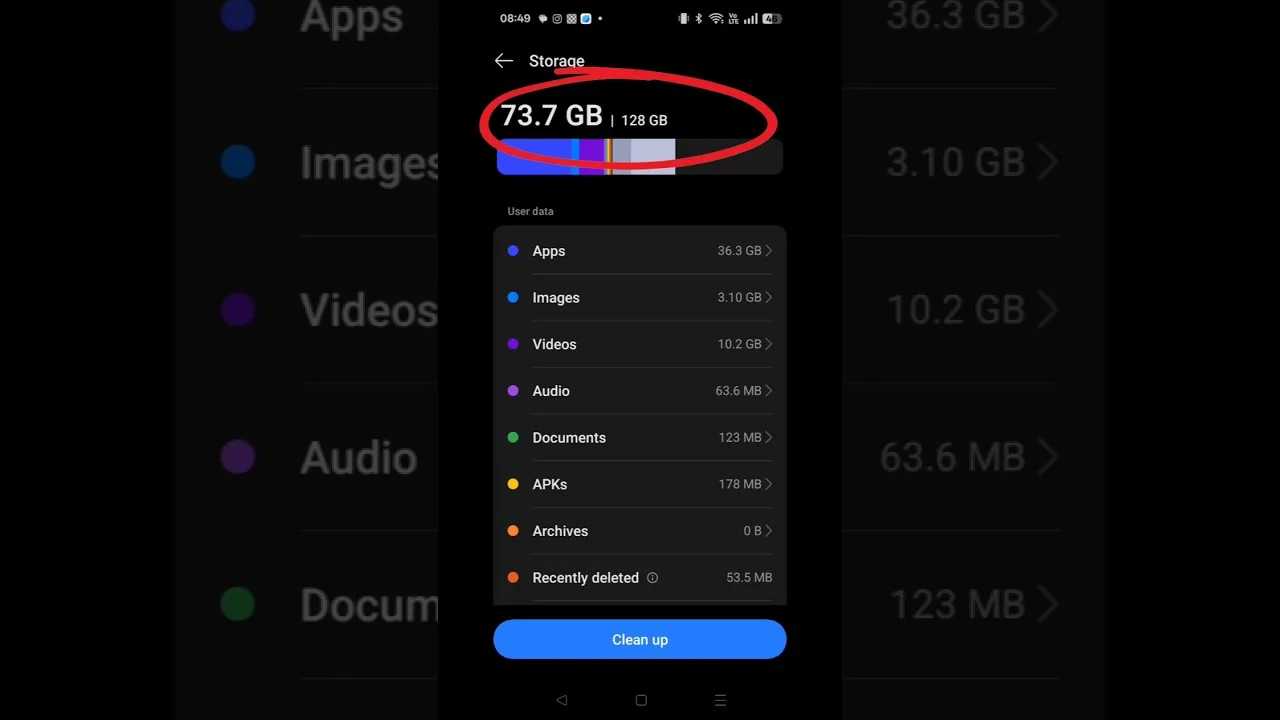
The biggest performance gains on a budget phone rarely come from inside the app. Close background apps you are not using, restart the phone if it has been running for days, and keep some storage genuinely free, because Android slows down noticeably when storage is nearly full. A device that breathes properly gives every app, including the panel, a fair chance to run well.
Check the guidance in the Panda X Panel device compatibility guide to set realistic expectations for your hardware class. A phone with limited memory can still run the panel comfortably, but it cannot also juggle a screen recorder, several social apps and a heavy game at once. Choosing what runs together is the single most powerful low-end skill you can learn.
Keep Panel Settings Modest
On limited hardware, prefer simpler configurations over elaborate ones. Heavy visual extras and layered options each consume a little processing power, and on a small phone those little costs add up into visible hesitation. A clean, modest setup that responds instantly will always feel better in play than an ambitious setup that stutters at the moments that matter most.
The overview at Panda X Panel mobile panel can help you prioritise which features genuinely matter for your style of play. Keep those, trim the rest, and test honestly after each change. If removing an extra makes no difference to your enjoyment but the app feels snappier, that trade is a clear win on a low-end device.
Manage Heat During Longer Sessions
Budget phones often warm up quickly under sustained load, and heat slows processors down automatically. Shorter sessions with breaks, a removed phone case during play, and a shaded, ventilated spot all help more than users expect. If the device becomes uncomfortably warm, responsiveness will already be suffering, so a pause protects both the phone and your session quality.
Brightness is another quiet heat source: a screen pushed to maximum in a bright room drains and warms the phone faster. Lower it to the lowest level you can still see comfortably. These small environmental habits cost nothing, and on modest hardware they often deliver a steadier experience than any setting inside the app itself.
Keep Storage and Memory Tidy
Low-end phones punish clutter. Uninstall apps you no longer open, clear cached data occasionally, and keep downloads and videos from quietly filling the device. When internal storage drops into its last few percent, Android's whole behaviour degrades, and panel responsiveness suffers along with everything else on the phone, even though the app itself is small.
The companion article on Panda X Panel storage and performance tips goes deeper into storage habits and day-to-day performance care. Read together, the two guides give budget-phone users a complete routine: a tidy system underneath, modest settings inside the app, and realistic expectations about what runs at the same time. That combination is what smooth low-end play actually looks like.
Update Carefully and Keep a Working Setup
When a setup finally feels good on a modest phone, protect it. Note your settings down, and be a little more cautious with big changes than a flagship user needs to be. New app versions usually help, but on older hardware it is wise to update at a calm moment, not minutes before a session you care about, so any surprise can be handled without pressure.
If an update or change does upset a working setup, do not panic and do not stack more changes on top. Return to your noted settings, restart the phone, and test again in a relaxed session. Methodical recovery beats frantic adjusting on any device, and it matters most where performance headroom is smallest.
There is also a mindset shift that helps budget-phone users enjoy their setup more. Judge your device against its own class, not against demonstration videos recorded on flagship hardware. Within its class, a well-kept budget phone running a light panel setup can feel genuinely good, and chasing flagship impressions on modest hardware only manufactures disappointment. Spend your attention on consistency: a setup that feels the same every session, on a phone that is restarted, tidy and cool, will serve you better than any single impressive moment followed by stutters. Many long-term users started exactly where you are, learned these habits early, and carried them onto every better phone they owned afterwards.
Final Thoughts
Low-end phones reward light, tidy and realistic usage. Free the system first, keep panel settings modest, manage heat, and defend a setup once it works. Follow those habits and Panda X Panel can feel responsive and comfortable on hardware that costs a fraction of a flagship, which is exactly the outcome most budget-phone users are hoping for when they install it.